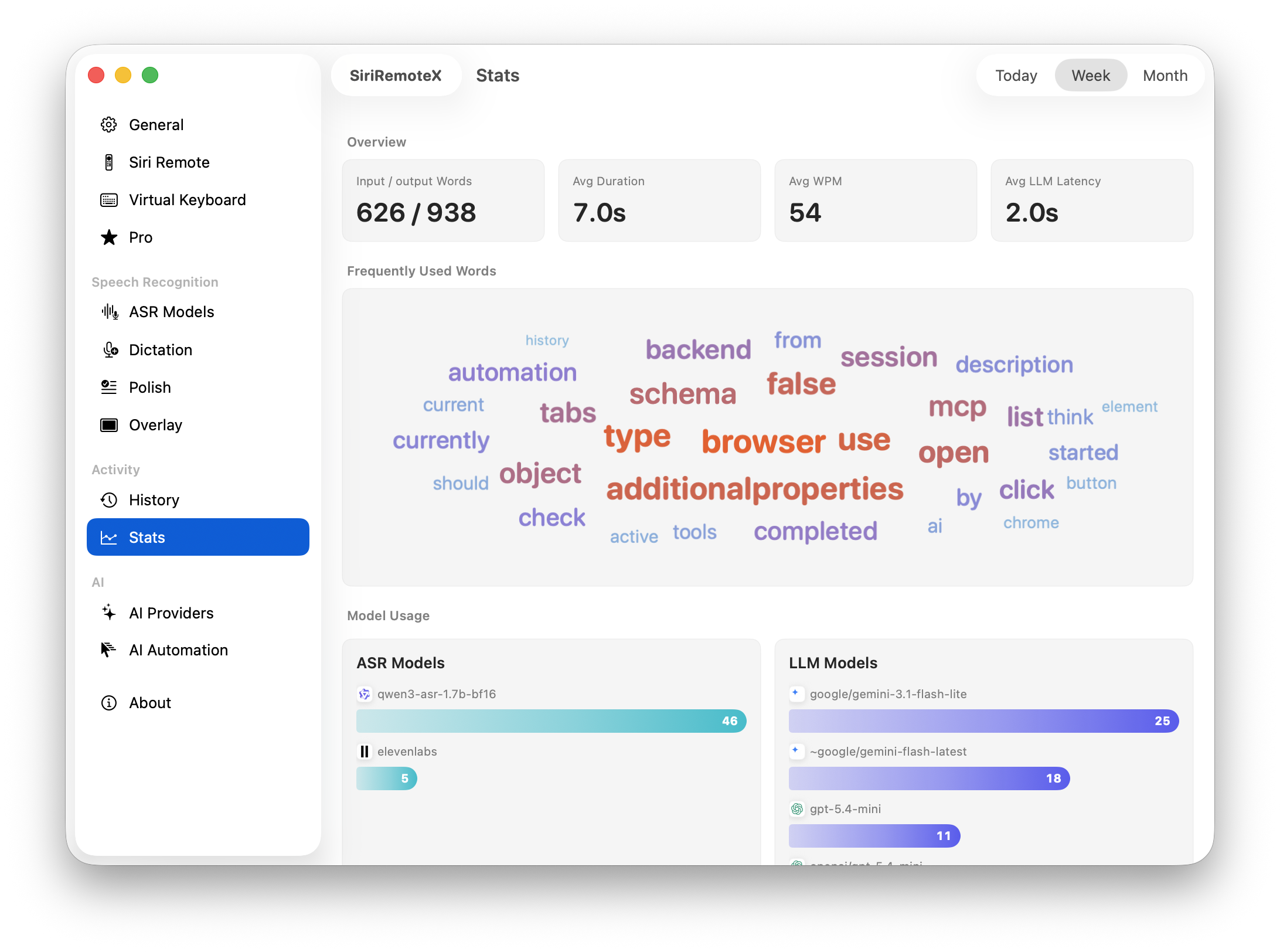
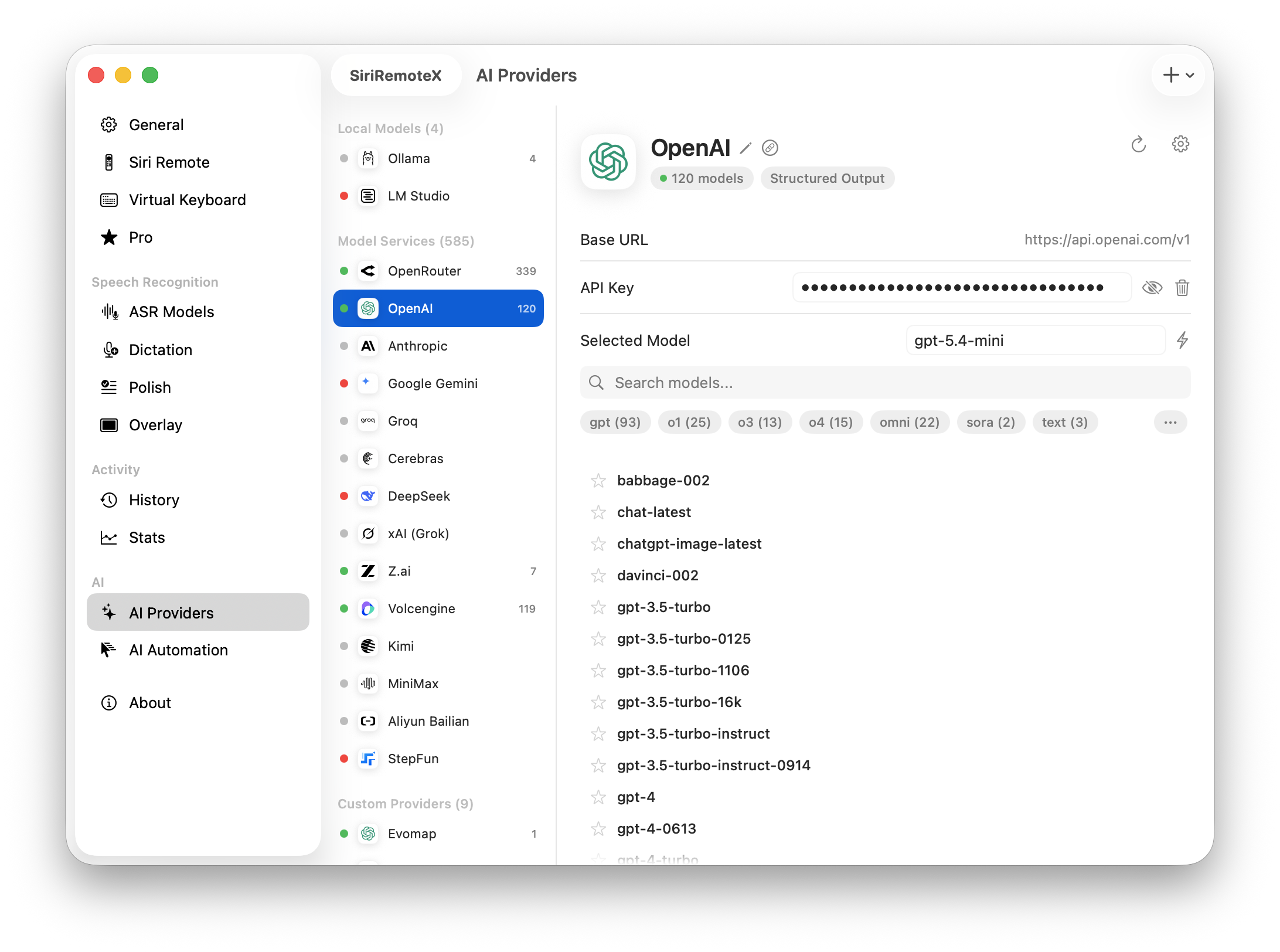
Mac utility for Apple TV Siri Remote

Use your Siri Remote as a precise Mac controller.

SiriRemoteX turns the remote already on your desk into a controller, keyboard, dictation microphone, and voice-to-AI command surface for macOS.

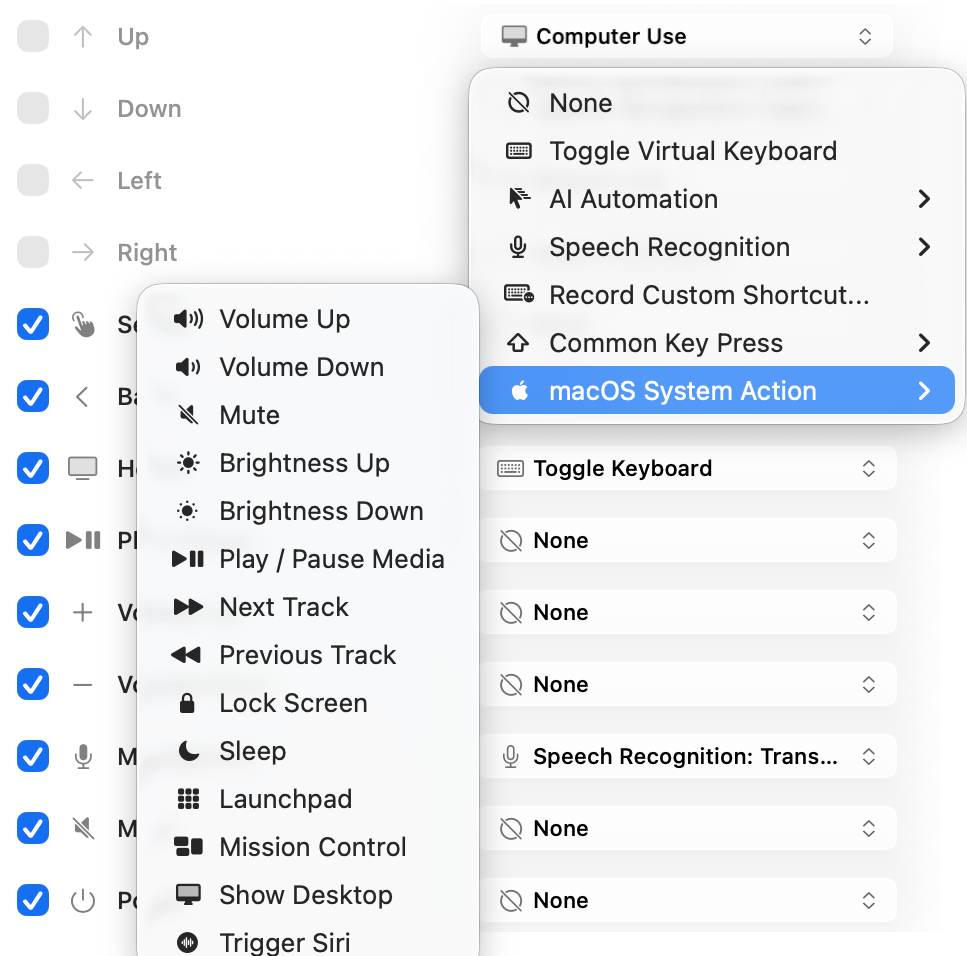
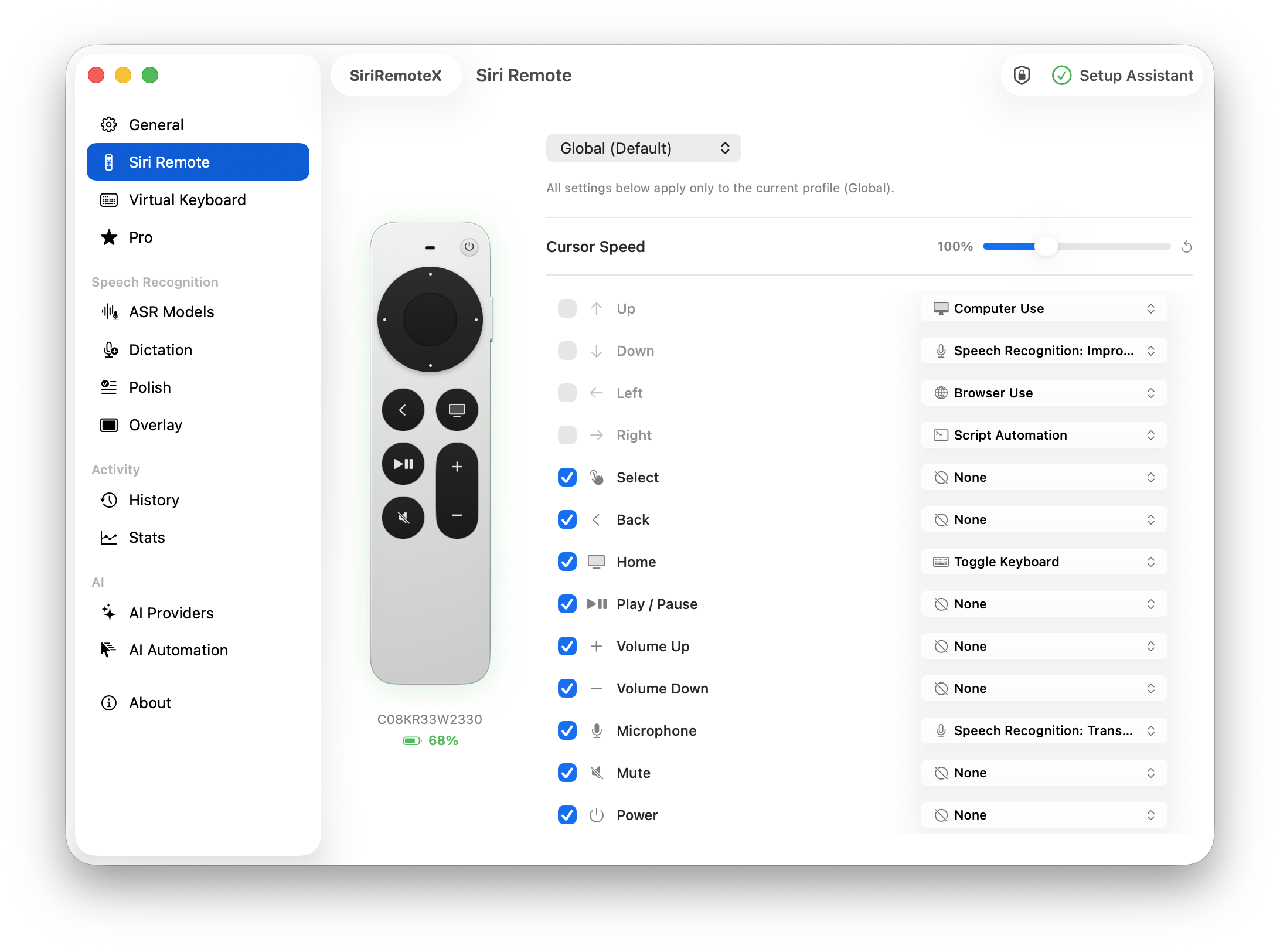
Button assignments mapping Siri Remote buttons to Mac actions
Remote control

Map remote buttons to Mac actions.

Turn the Siri Remote into a compact controller for media, Mission Control, brightness, app launches, shortcuts, cursor movement, scrolling, and drag gestures.

  • Per-app profiles keep controls contextual.
  • Live remote state makes the utility feel inspectable.
  • Mappings stay plain-language for non-technical users.
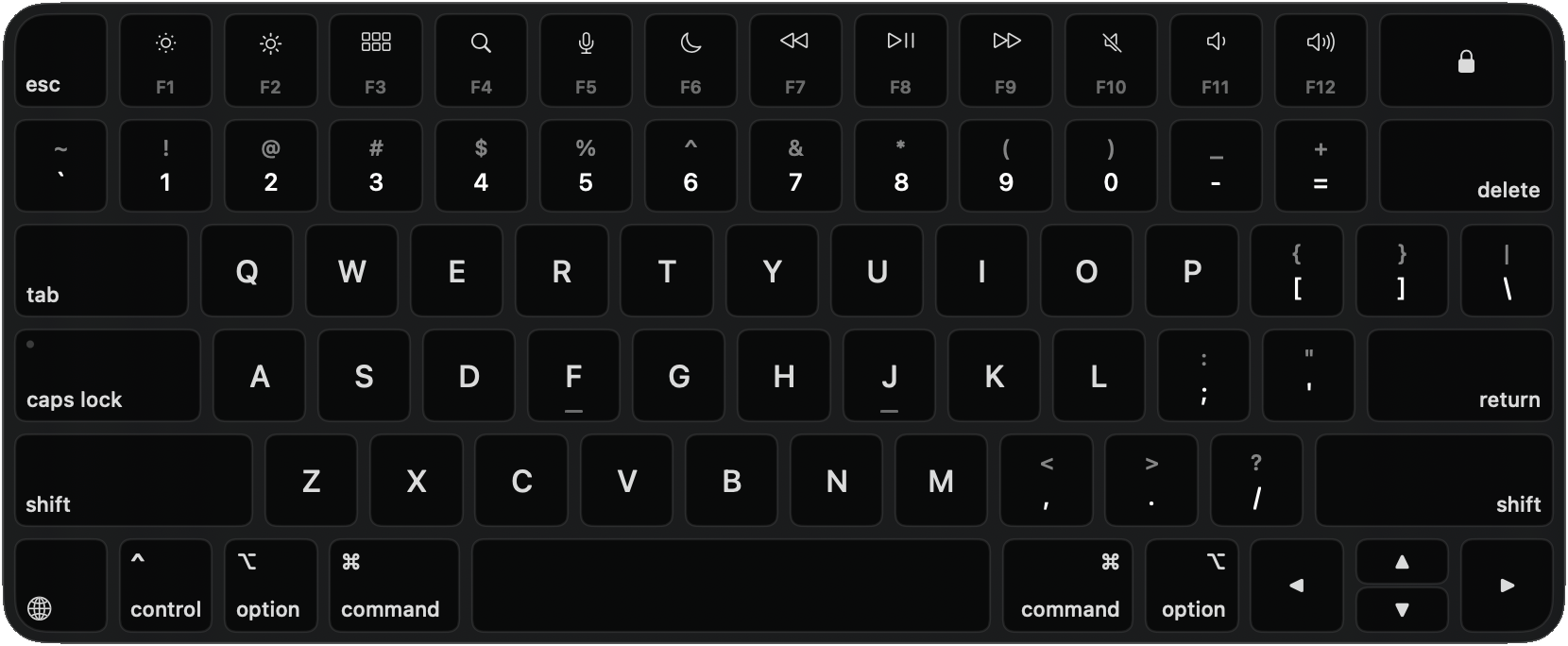
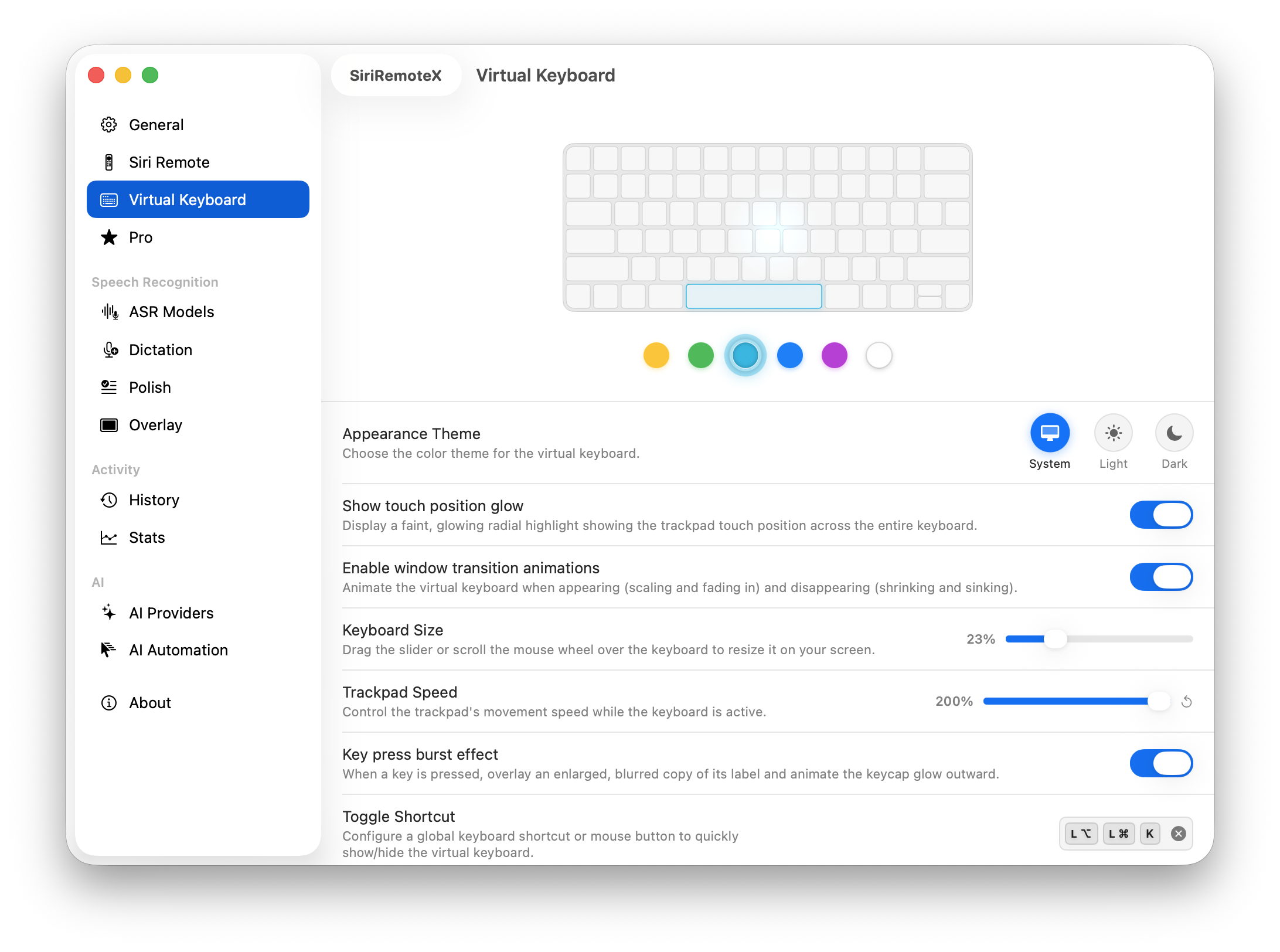
Floating virtual keyboard controlled by the Siri Remote clickpad
Remote typing

Type from the remote when a keyboard is out of reach.

The floating keyboard gives the clickpad a clear focus model for entering text, deleting, resizing, repositioning, and getting out of the way.

  • Designed for across-the-room Mac use.
  • Modifier keys and shortcuts stay visible.
  • The overlay reads as a real app surface, not a gimmick.
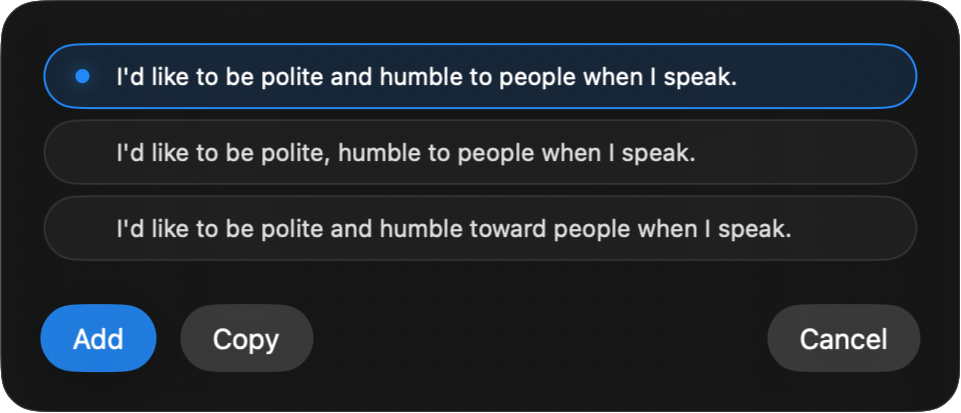
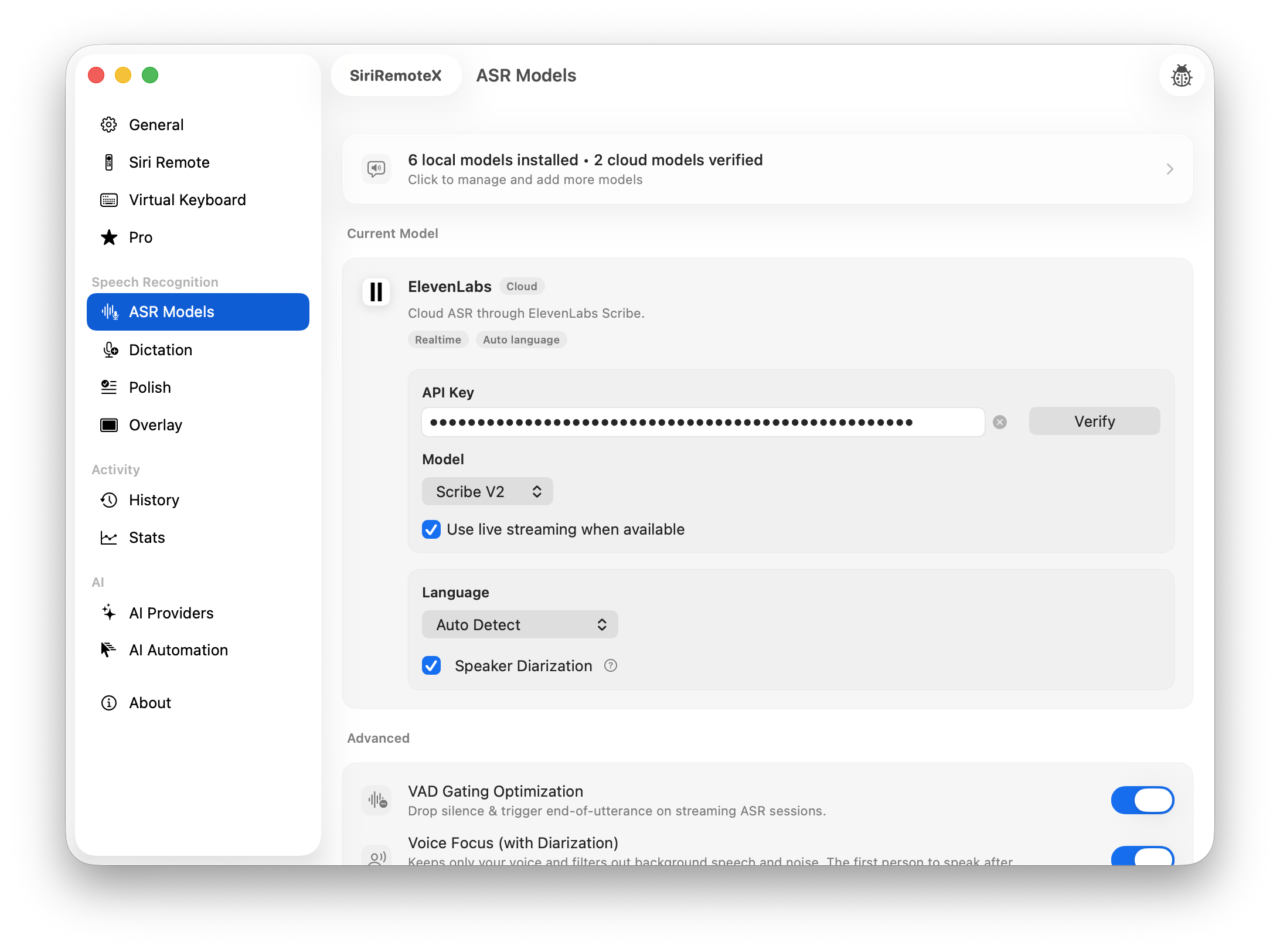
Transcript cleanup and refinement presets
Post-processing

Clean up what you said before it lands.

Transcripts can be corrected, formatted, translated, or reshaped, so spoken input becomes usable text instead of a cleanup chore.

  • Presets explain the outcome before processing.
  • Formatting and translation sit beside dictation.
  • The story stays focused on user outcomes.
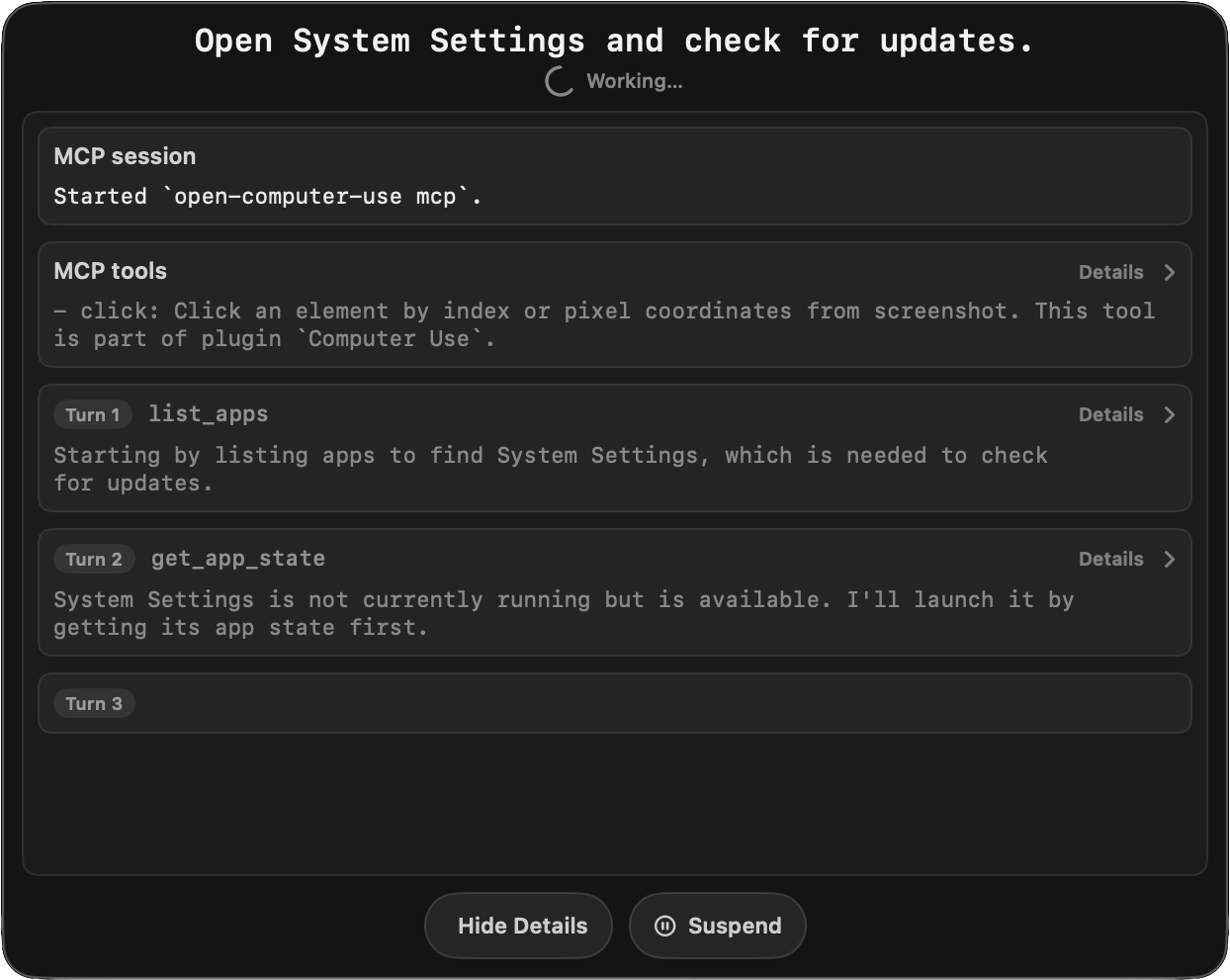
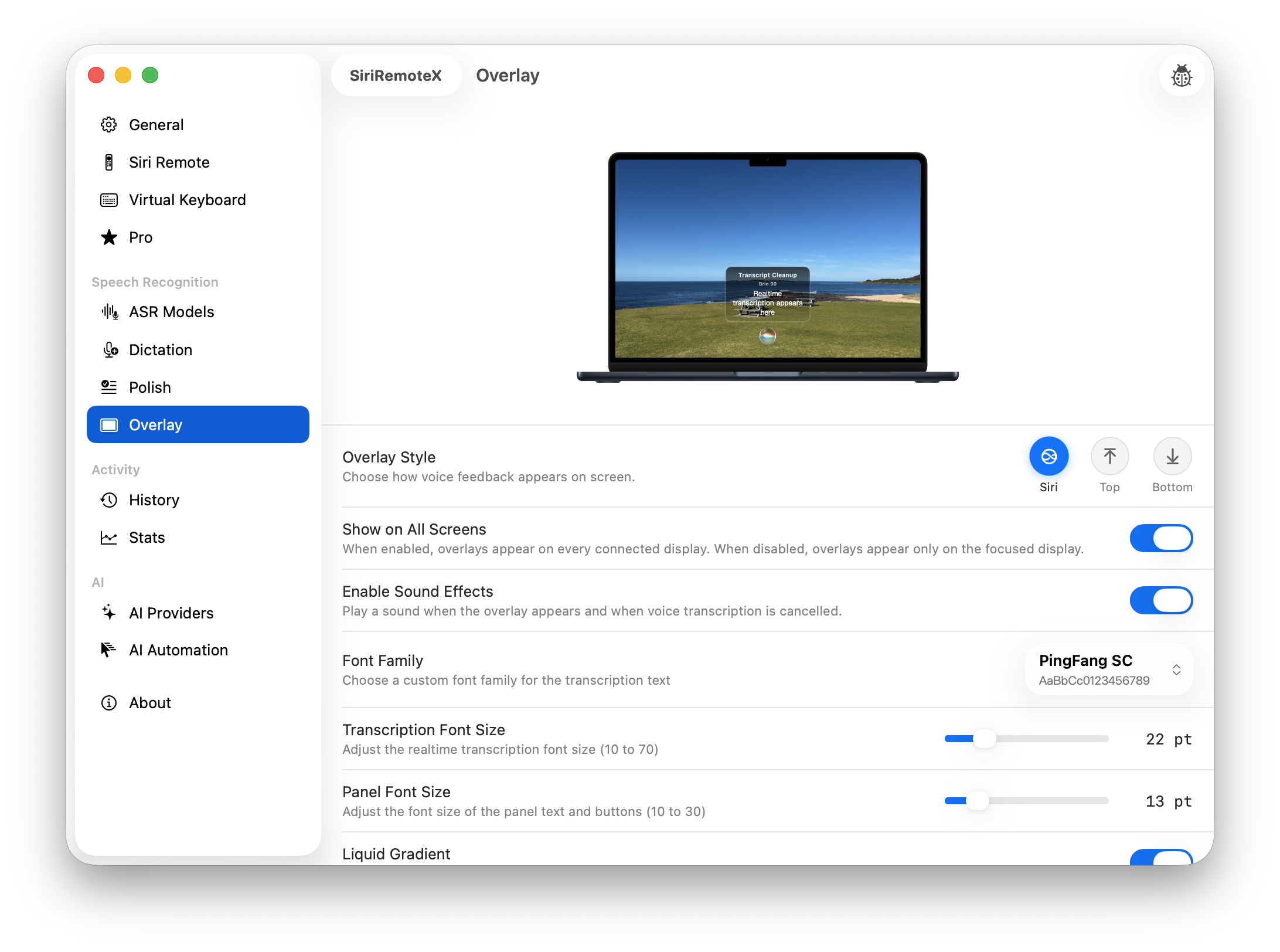
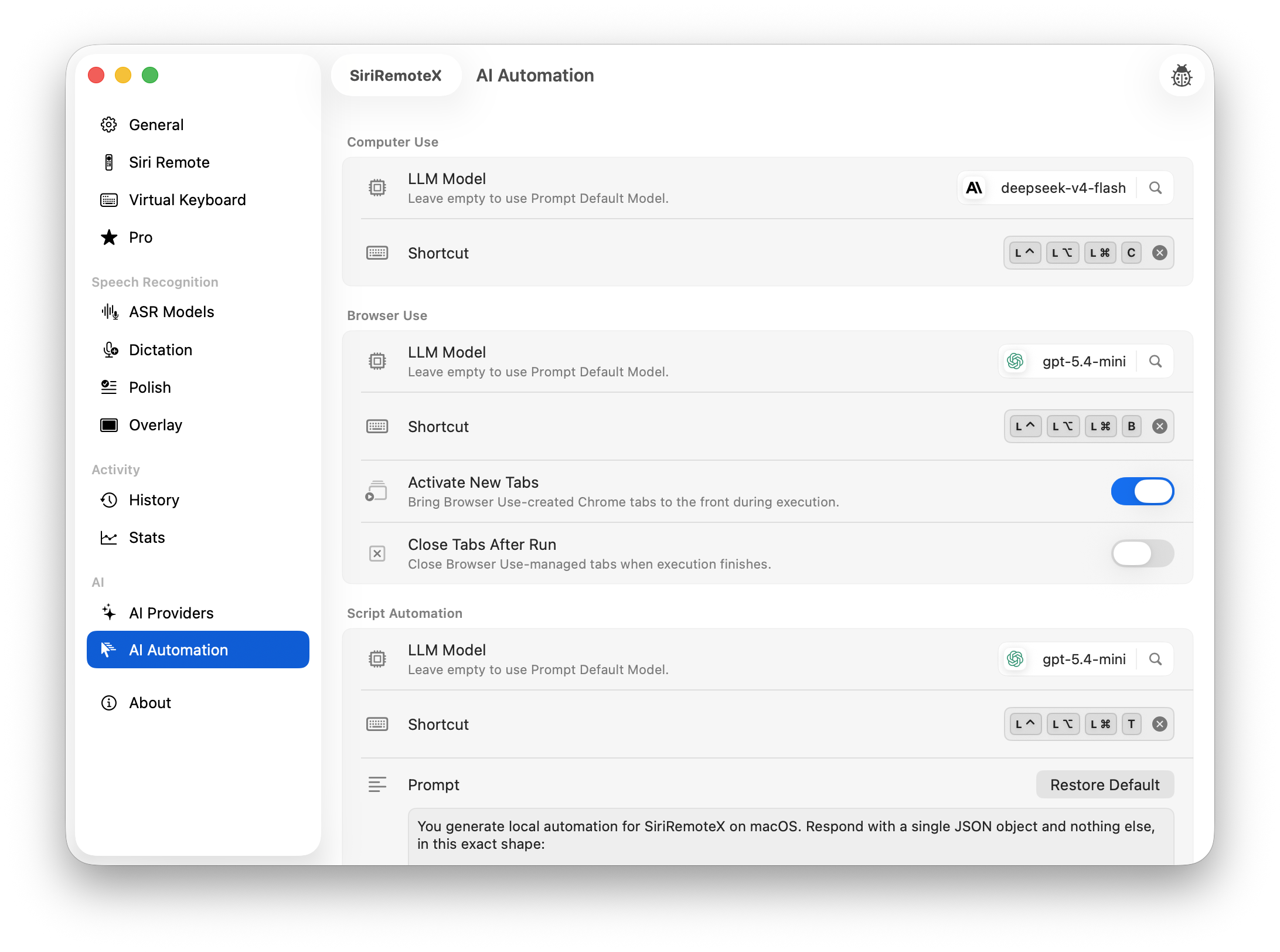
AI workflow confirmation overlay before execution
AI workflows

Trigger automation without making it feel reckless.

Processed voice can become a computer-use or automation workflow, with a visible confirmation step before anything executes.

  • Voice, transcript, and action remain connected.
  • Confirmation keeps automation deliberate.
  • The page avoids vague AI spectacle.
How it works

Four steps from pairing to control.

The public site should make setup feel concrete without exposing implementation details.

1

Grant permissions

Follow plain-language prompts for Accessibility, audio, and launch settings.

2

Pair the remote Optional

Connect an Apple TV Siri Remote to macOS. No remote? No problem — all features also work via keyboard shortcuts.

3

Choose actions

Map buttons, profiles, cursor behavior, keyboard controls, and voice presets.

4

Control or speak

Use the remote or keyboard for Mac input, dictation, text refinement, and confirmed AI actions.

Pricing

Free to use. Upgrade for unlimited.

SiriRemoteX is free with daily limits. Upgrade to Pro to remove all limits.

Default

Free

$0 / forever

Free with daily limits.

  • 30 Siri Remote actions / day
  • 30 AI Automation runs / day
  • 100 speech recognition triggers / day
  • 1 device

Pro Monthly

$2.99 / month

Unlimited access billed monthly. Cancel anytime.

  • Unlimited Siri Remote, AI Automation & speech recognition
  • All future updates included while subscribed
  • Up to 3 devices
Lifetime

Lifetime License

$59.99 / one-time

Pay once, own forever.

  • Unlimited everything
  • All updates for current major version
  • Up to 5 devices

Already bought SiriRemoteX?

Use the recovery path for lost serial numbers, license lookup, or billing management without guessing which provider handled the purchase.

Recover serial
FAQ

Answers for technical buyers.

Which remotes are supported?

The product story is centered on Apple TV Siri Remote support on macOS. Compatibility details should stay close to setup and support.

Do I need a Siri Remote to use SiriRemoteX?

No. The Siri Remote is optional. All features — dictation, AI automation, keyboard input — also work via keyboard shortcuts. The remote simply adds a handheld controller option.

Does SiriRemoteX require Accessibility permission?

Yes, features that control the Mac need macOS permissions. The site should explain this plainly and link to setup help.

How does dictation work?

The remote microphone can be used for voice capture, transcription, cleanup, and routing into Mac workflows.

Can I recover a lost serial?

Yes. The recovery flow uses purchase email verification and returns a privacy-preserving response.